Overview
- Context
- A paid five-day live tax training bootcamp sold by Rich Off Taxes (Billionaire Barbie), with two ticket types: General Admission and a monthly VIP.
- Industry
- Education · Tax business training
- Engagement
- Funnel and automation build inside the client’s GoHighLevel account
- Status
- Verified client project
My role
- Built the sales funnel and the upsell page in GoHighLevel
- Built the checkout recovery, buyer tagging, reminder, failed-payment and pipeline workflows
- Wrote the automated SMS and email messages and sent them to the client for approval
- Built the KPI tracking report the client reviewed
Technical stack
- GoHighLevel funnels
- Order forms
- Workflows
- Pipelines
- Tags
- SMS
- Payments
The client’s problem
Every buyer had to be tagged by ticket and reminded before the event. Every checkout that was started but not paid needed a follow-up, and failed VIP payments had to reach the team. All of it had to run without anyone watching the account all day.
Requirements
- Follow up every started checkout that is not paid, and stop for people who already bought
- Tag every buyer by ticket and tell new buyers from repeat buyers
- Remind buyers the evening before the event and an hour before day 1
- Give failed VIP payments time to retry, then alert the buyer and the team
- Keep every deal in the right pipeline stage
Solution architecture
Each lane is one workflow, in the order it runs.
Checkout recovery
- Order form: Checkout Started (GA or VIP)
- Wait 30 minutes
- Buyer check on tags
- Not bought: add abandoned tag
- Opportunity: Checkout Started
- SMS 1
- Wait 1 hour
- Email: unclaimed seat
- Move to Follow-up stage
- Wait 1 day
- SMS 2: last reminder
Buyer tags
- Order form: GA Checkout Purchase
- Already a bootcamp buyer?
- Repeat: rot-ga + rot-repeat-buyer
- New: rot-ga + rot-customer
Event reminders
- Bootcamp buyer tag added
- Wait until the evening before
- SMS: starts tomorrow
- Email: starts tomorrow
- Wait until day 1
- SMS: day 1 starts in 1 hour
Failed VIP payment
- Payment received with status Failed
- Wait 10 minutes for a retry
- Paid after retry?
- Not paid: add failed-payment tag
- Opportunity: Failed Payment stage
- SMS + email to the buyer
- Notify all users
Sales pipeline
- Opportunity created
- 3-month or 1-year offer?
- Update opportunity
Implementation details
Checkout recovery with built-in suppression
Two triggers listen for the “Checkout Started” order form submissions on the GA and VIP pages. After 30 minutes, a condition checks the contact’s tags: anyone already tagged as a bootcamp buyer exits immediately. Everyone else is tagged as an abandoned checkout, gets an opportunity in the Checkout Started stage, and receives an SMS, an “unclaimed seat” email an hour later, and a last-reminder SMS a day later.
Buyer tagging for new and repeat customers
A GA purchase runs a single condition: if the contact already has the customer tag, they are tagged as a repeat buyer; otherwise as a new customer. Both get the ticket tag, so the list is ready to segment for the next launch.
Event reminders on fixed dates
Adding the bootcamp buyer tag enrolls the contact in a reminder workflow that waits until a fixed time the evening before the event, sends an SMS and an email that it starts tomorrow, then waits until day 1 and sends a “starts in 1 hour” SMS.
Failed VIP payment with a retry window
A failed payment on the VIP product waits 10 minutes so an automatic retry can succeed. If the buyer still is not marked as paid, they are tagged, moved to the Failed Payment stage, sent an SMS and an email, and every user on the account is notified.
Pipeline routing by offer
Opportunities created at the 3-month or 1-year offer stages are routed by a condition on the trigger and updated accordingly, so the pipeline reflects which offer each deal belongs to.
Interactive reconstruction
A simulation of the same kind of decisions, with synthetic data: checkout recovery, buyer suppression and a retry window for failed payments. It also covers scenarios this project did not need. The real workflow is in the screenshot and video below.
Sales Funnel Automation
Pick a buyer scenario and follow each decision.
 Meta ad
 Landing page
 Order form
 Payment
 Tags + email
 Pipeline
- 01Visitor
- 02Lead
- 03Checkout
- 04Payment Confirmation
- 05Onboarding
- 06Follow-Up
Choose a scenario above. Each decision appears with a plain-English explanation of why the workflow does it.
Screenshots and film
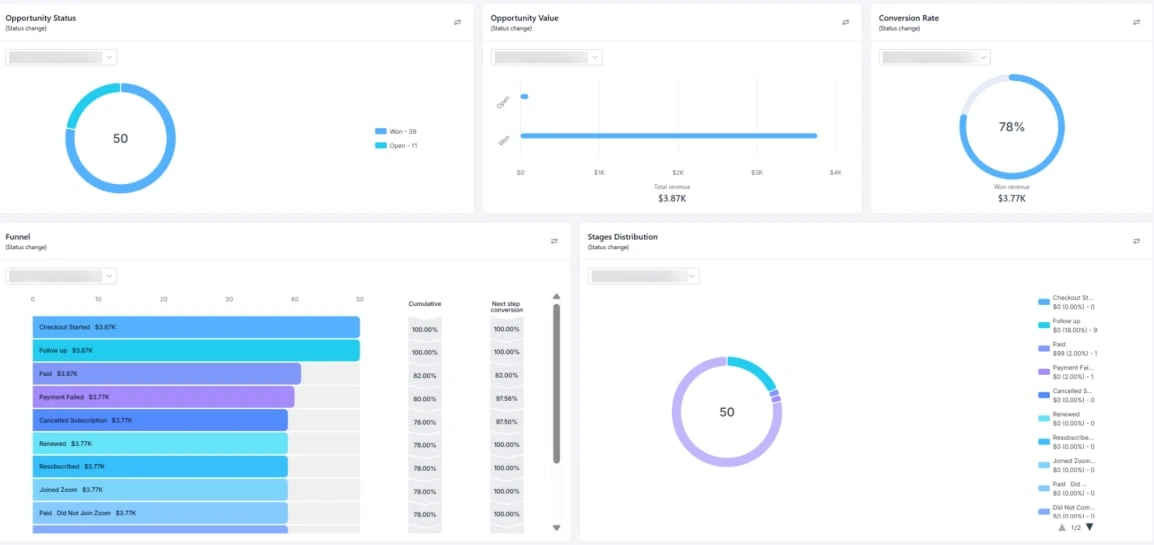
Pipeline dashboard: $3.77K won revenue, 39 of 50 won 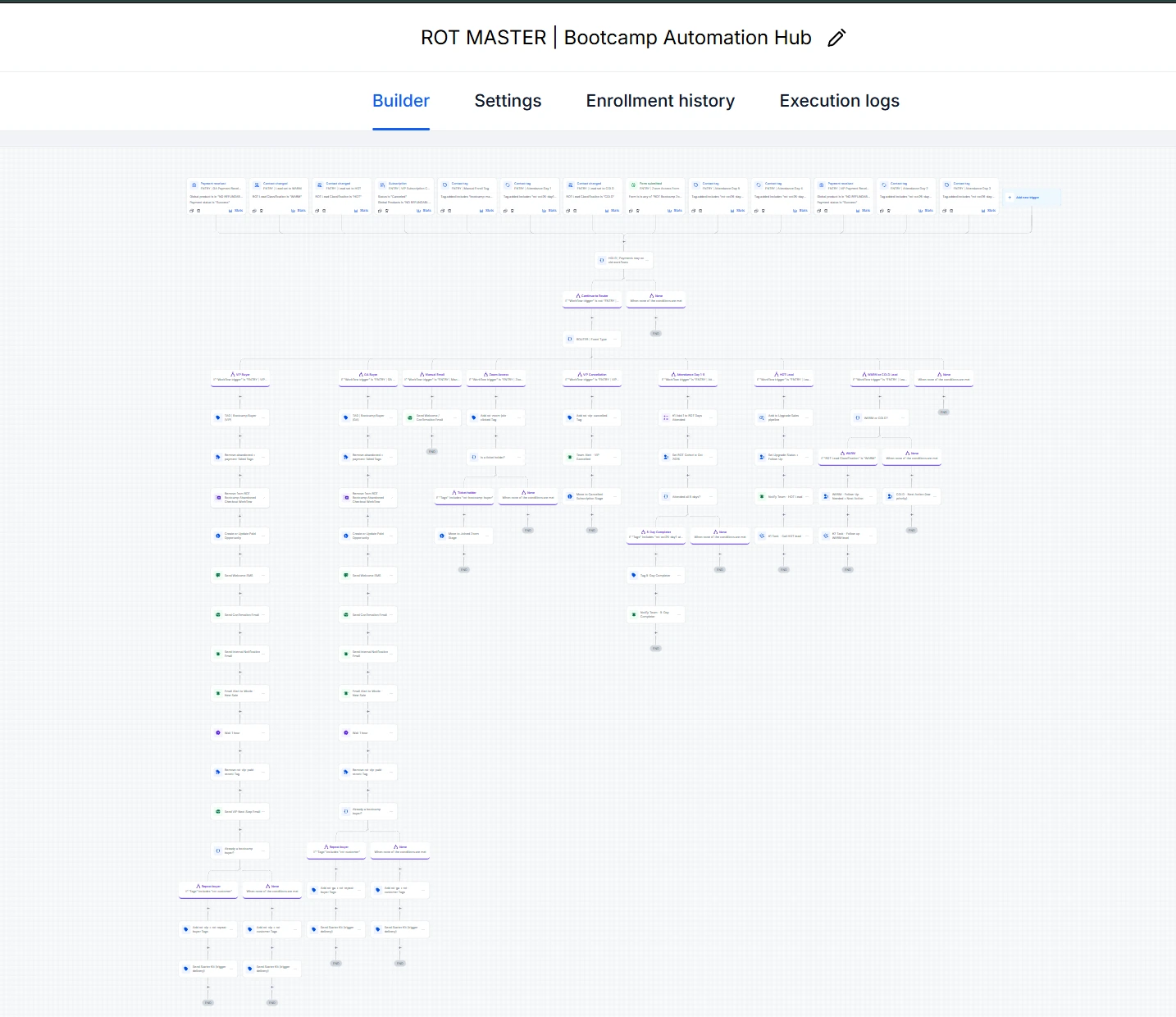
ROT MASTER | Bootcamp Automation Hub
Select a screenshot to open it at full size.
Testing and quality assurance
- Every automated message went to the client for review first (“Nothing will be sent until you approve”)
- Each condition has an explicit exit path, so contacts who do not match stop instead of falling through
- Failed payments wait 10 minutes before any alert, to avoid messaging buyers whose retry succeeds
The outcome
- $3.77K won revenue in less than a month: 39 of 50 pipeline opportunities won, a 78% conversion rate (GoHighLevel pipeline dashboard)
- Five connected workflows built in the client’s account for the launch
- The reminder workflow was live: its screenshot shows 19 contacts waiting at the day-1 reminder step
- The client approved the automated messages (“These are perfect.”, then “YES” to go live)
- The client approved the upsell page (“LOVE IT!”) and the KPI tracking report (“Great work”)
Evidence
Pipeline dashboard
The client’s GoHighLevel opportunity report: 50 opportunities, 39 won, 11 open, $3.87K total value and $3.77K won revenue (date filters blurred).
Workflow screenshot
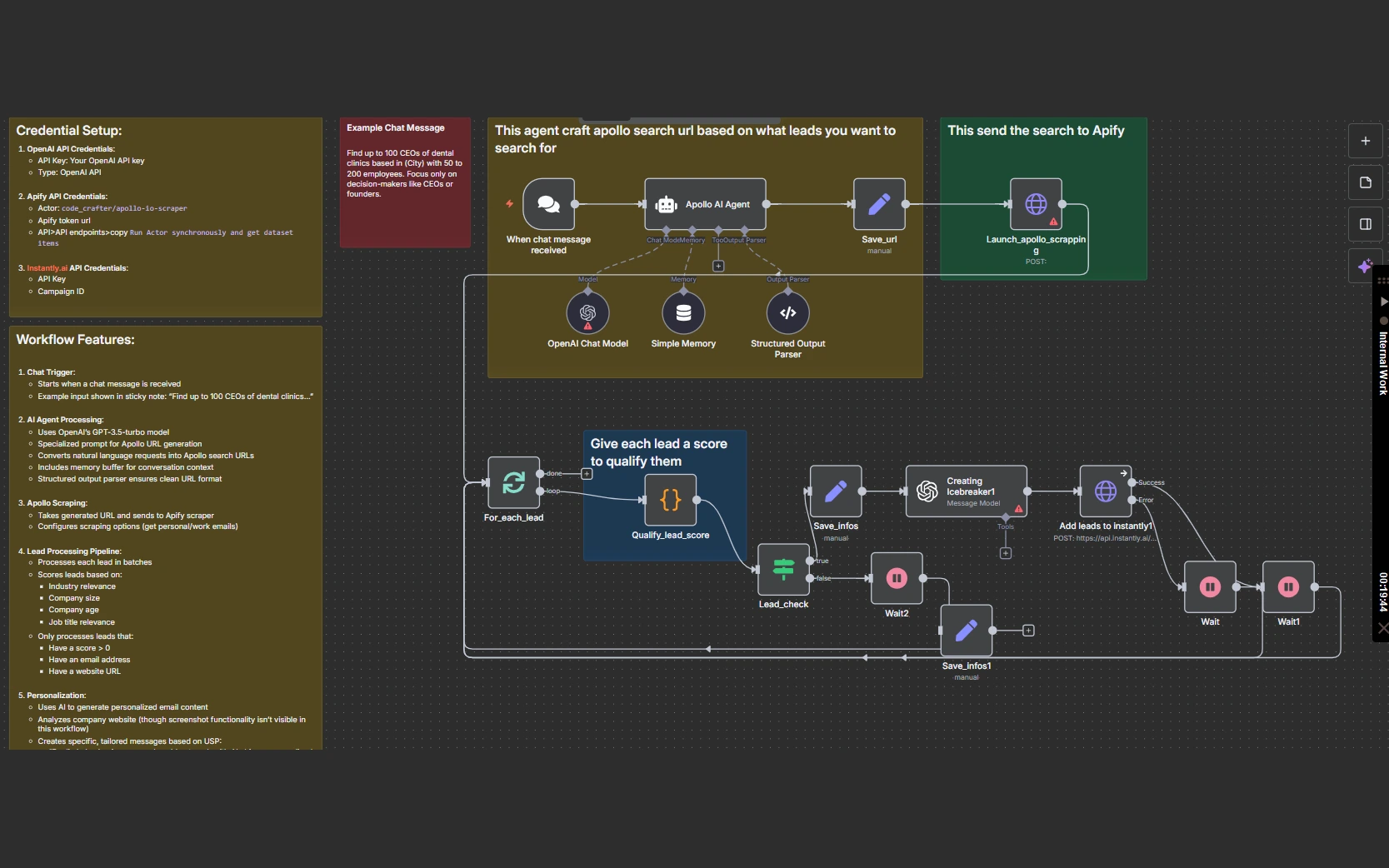
The ROT MASTER Bootcamp Automation Hub in the client’s GoHighLevel workflow builder, shown below.
Client replies
The client’s own WhatsApp replies, cropped to her messages only.
Live funnel
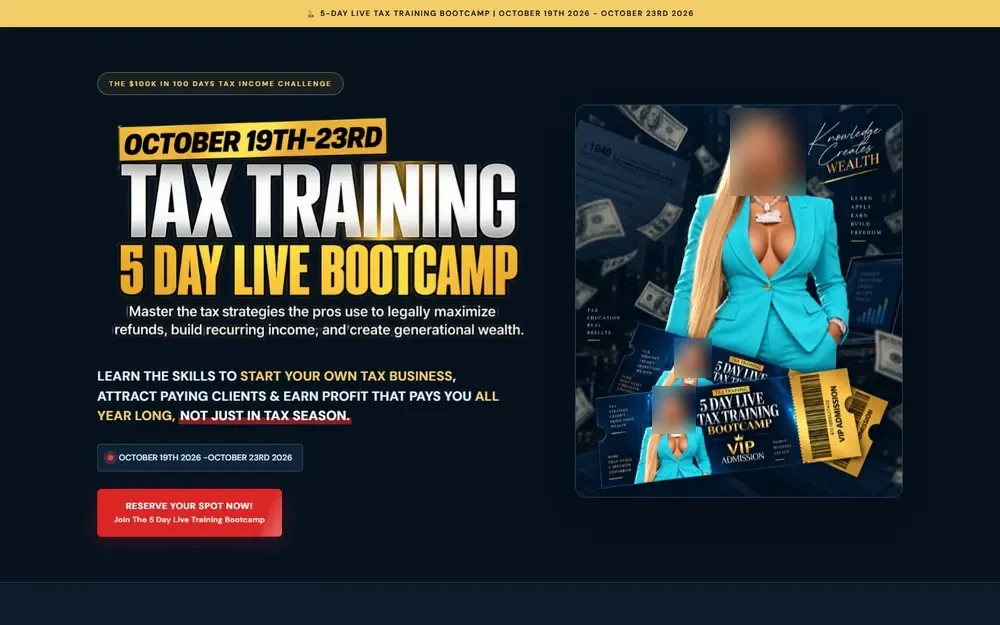
The bootcamp sales page at livetaxtrainingbootcamp.com.
Walkthrough video
A 5:05 walkthrough of the hub inside the client’s account, in my own voice.
Lessons learned
- Put the buyer check before the first message, so buyers never receive a recovery text.
- For sequences that run over a day, check again before each later message (or use a goal event). The interactive reconstruction on this page shows this pattern.
- Give payment processors a short retry window before telling a buyer their payment failed.
Related services
Planning a launch, a paid event or a course?
Let’s map your checkout and follow-up