Skip to content
Wovie Prollo
GoHighLevel Expert

I Built the SystemBehind $3.77K in Salesin Under a Month.

I build intelligent systems that help businesses scale, like this tax bootcamp’s GoHighLevel hub.

A real client build: the Rich Off Taxes bootcamp automation hub, explained in 5 minutes.

Trusted by businesses I’ve worked with

  • LendBox
  • Signature Solutions
  • Invention Partners
  • impruvu.io
  • Heavy Grind Media
  • AppliancesMD Sales & Services
  • CALEBrated Virtual Services
  • Luxury Tax Pro Partners
  • Goshen Quality Care

CRM, Sales Funnels & AI Automation

The problem I fix, what I build, and proof you can check.

What my clients say

John Pancerzewski, Property Manager · video review
  • “These are perfect.”

    On the automated messages
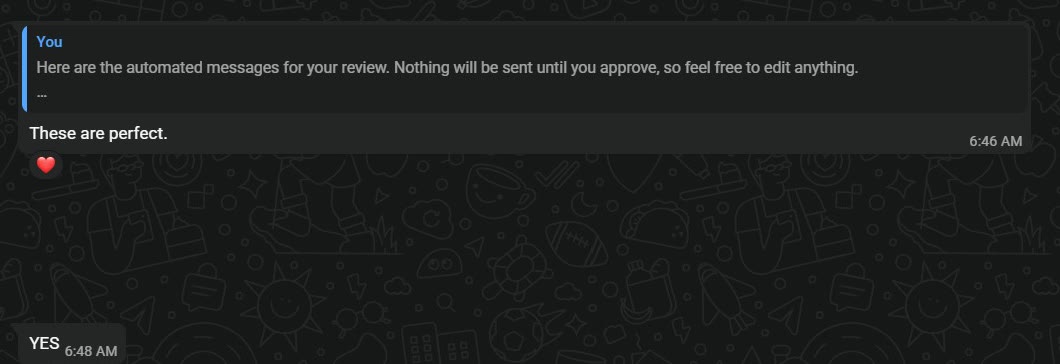
    Screenshot of the client’s WhatsApp message: “These are perfect.”
  • “LOVE IT!”

    On the upsell page

    Screenshot of the client’s WhatsApp message: “LOVE IT!”
  • “Great work”

    On the KPI tracking report
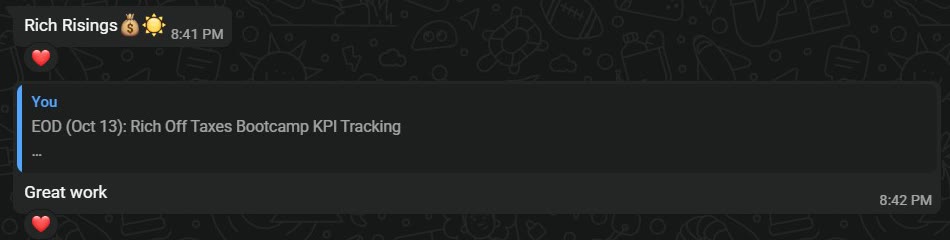
    Screenshot of the client’s WhatsApp message: “Great work”
Billionaire BarbieBillionaire Barbie, Rich Off TaxesIn her own messages while I built her bootcamp funnel and automations
“Working with Wovie has been an absolute relief. He's incredibly reliable, detail-oriented, and always delivers with professionalism and integrity. He adapts quickly to any task, communicates proactively, and consistently proves himself as a trusted, high-performing partner.”

Elor KahalanayElor KahalanayBusiness Owner
“Wovie's attention to detail and deep understanding of automation tools is impressive. He created custom workflows that perfectly fit our business needs. Professional and results-driven.”

Trey PinkermanTrey PinkermanFunding Business Owner

Selected case studies

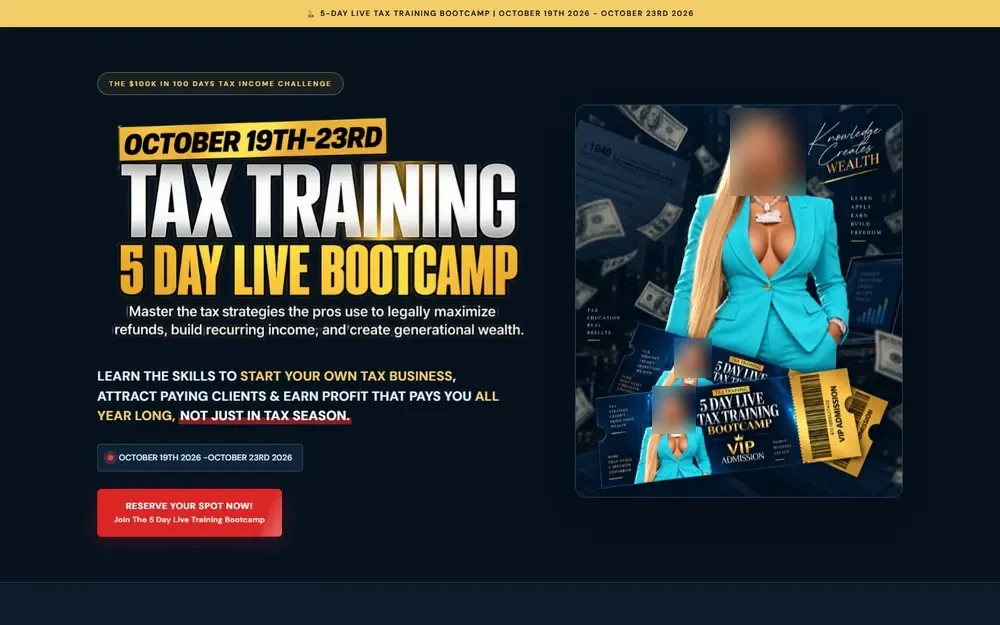
The Live Tax Training Bootcamp sales page built in GoHighLevel

Rich Off Taxes Bootcamp

Education · Tax business training

Problem
Every buyer had to be tagged by ticket and reminded before the event.
Outcome
$3.77K won revenue in less than a month
  • Verified Client Project
  • GoHighLevel funnels
  • Order forms
Roofing Lead-to-Close Automation: The workflow in GoHighLevel workflow screenshot

Roofing Lead-to-Close Automation

GoHighLevel automation

Problem
Leads waited hours or until the next day for a reply, follow-up happened only when someone remembered, and monthly reporting was manual, if it happened at all.
Outcome
Lead response time: Hours or next day → Under 10 seconds
  • n8n
  • Google Sheets
  • Slack
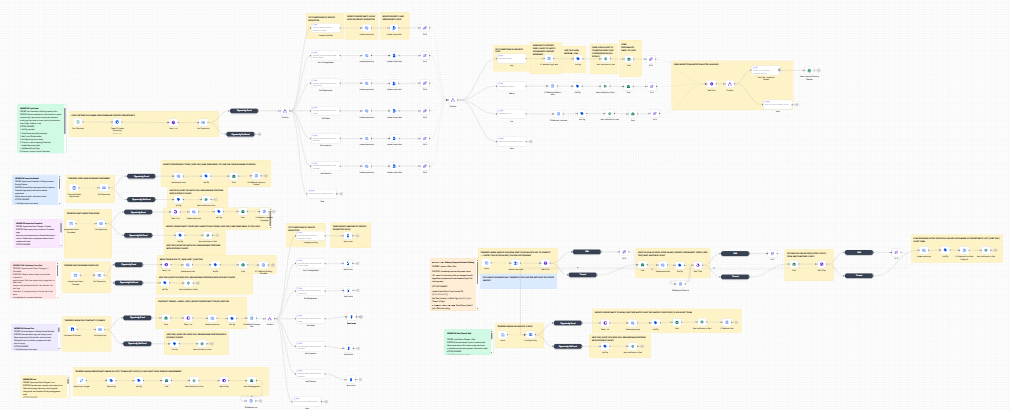
AI-Powered Client Acquisition & Operations System: The workflow in n8n workflow screenshot
Problem
Every lead took 15 to 20 minutes to qualify by hand, proposals took 1 to 2 days, and CRM onboarding updates were typed in manually.
Outcome
Lead qualification time: 15-20 min/manual → <30 sec automated
  • OpenAI
  • Google Docs
  • Stripe

More of my work

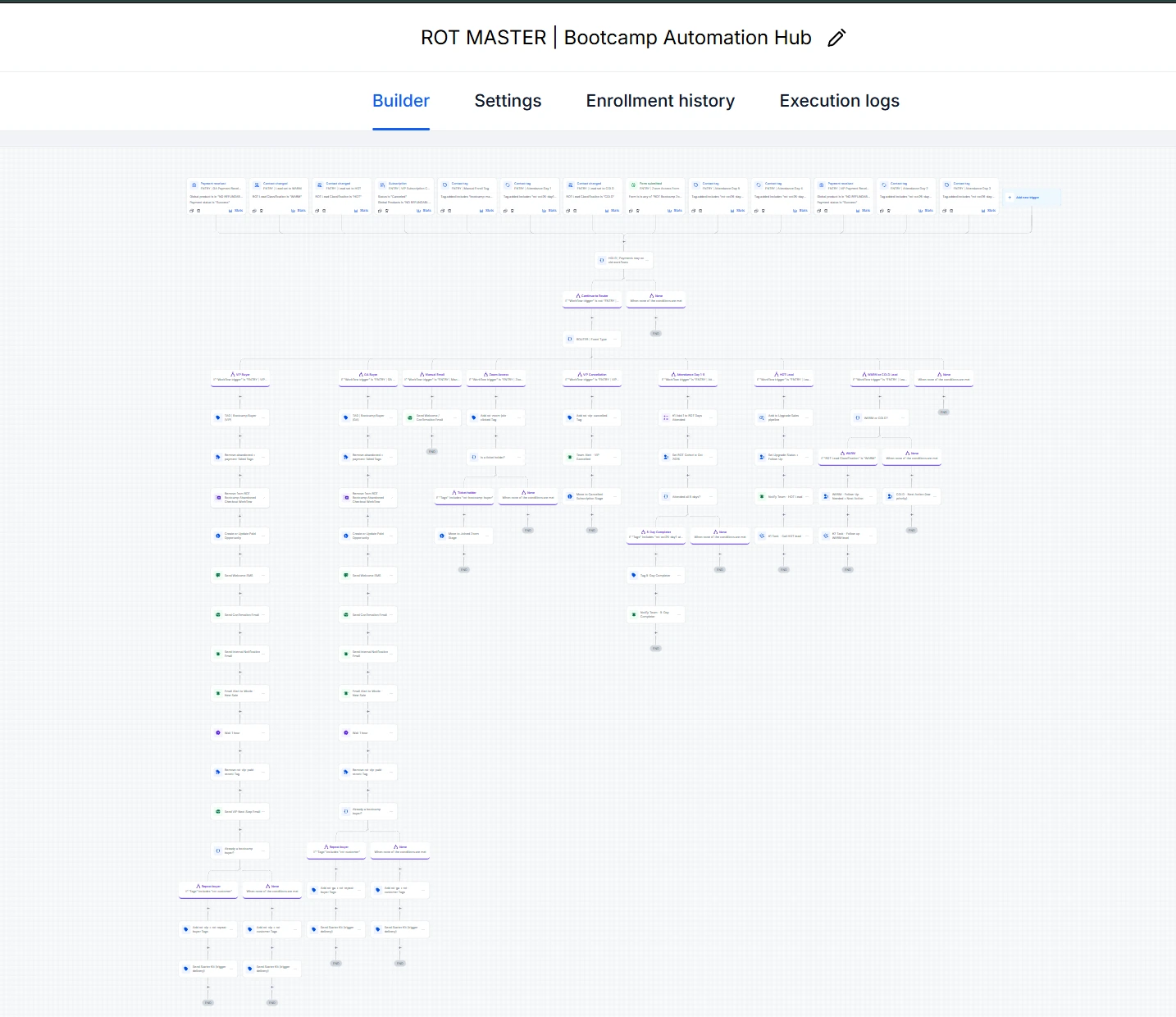
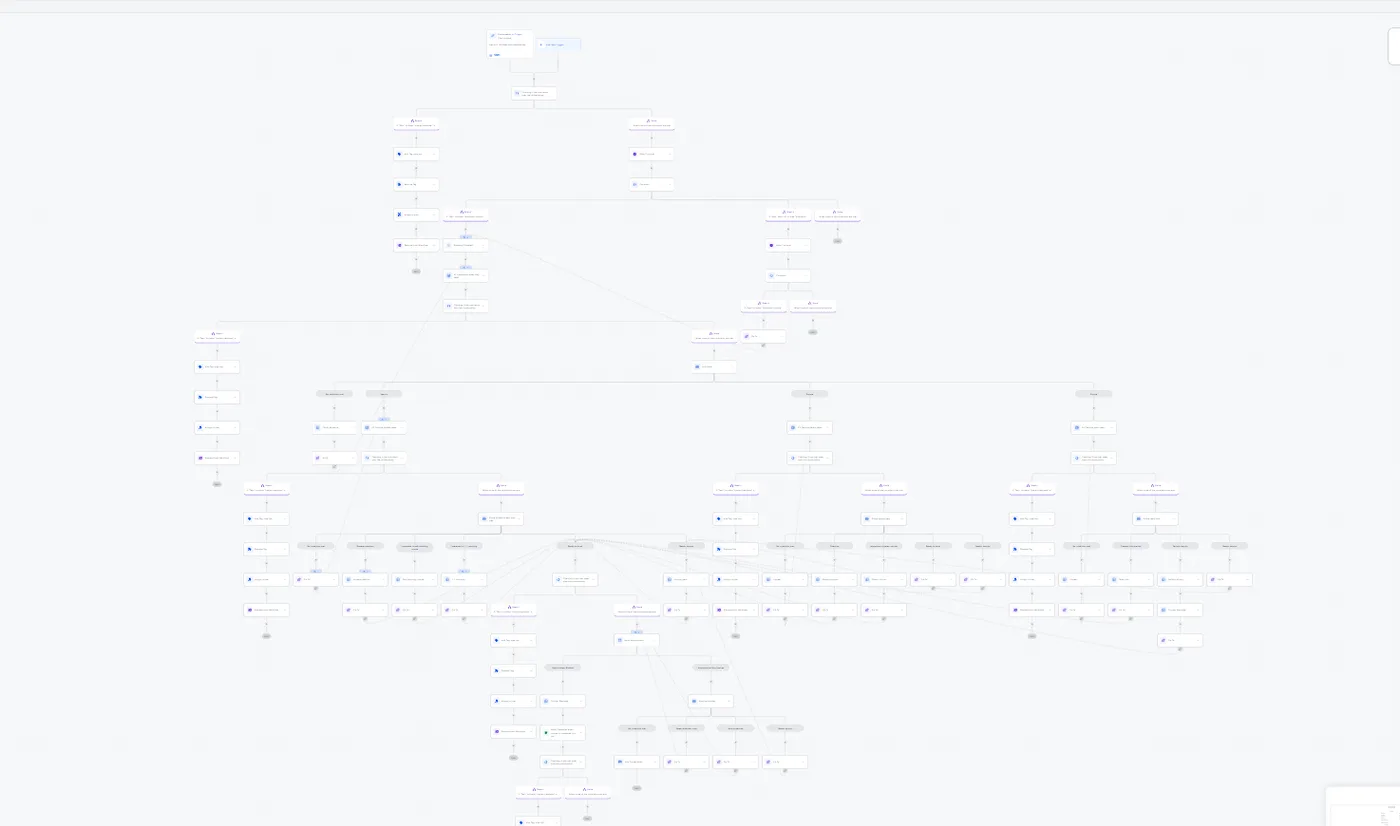
ROT MASTER | Bootcamp Automation Hub: ROT MASTER | Bootcamp Automation Hub in the GoHighLevel builder workflow screenshot
Problem
Every buyer had to be tagged by ticket and reminded before the event, every unpaid checkout needed a follow-up, and failed VIP payments had to reach the team, all without anyone watching the account all day.
Outcome
The bootcamp it runs won $3.77K revenue in less than a month: 39 of 50 pipeline opportunities won, a 78% conversion rate.
  • Workflows
  • Tags
  • Pipelines
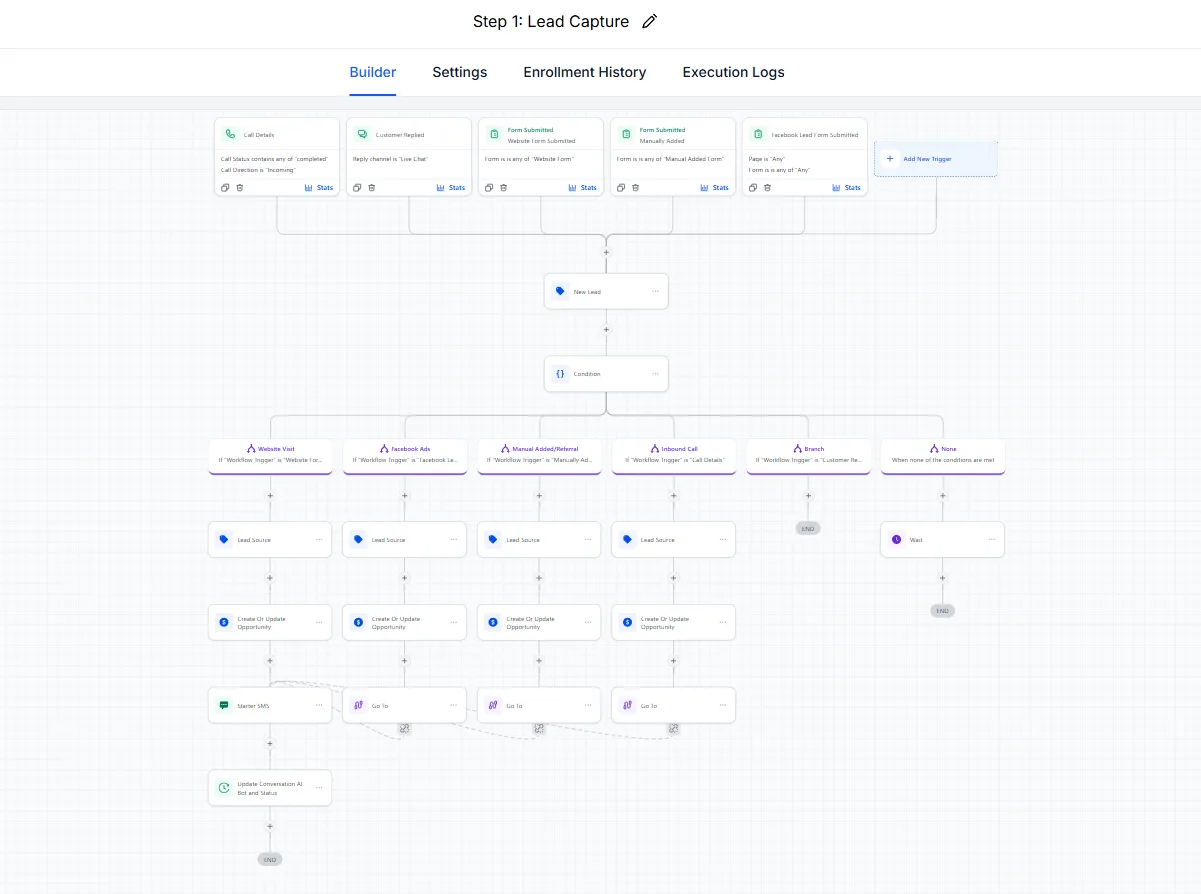
Lead Capture: New lead entry, GoHighLevel workflow workflow screenshot

Lead Capture

GoHighLevel automation

Problem
New leads from the funnel form had to be typed in by hand, and someone had to keep checking the inbox.
Outcome
Every form fill is saved as a contact, added to the pipeline and tagged right away.
  • Funnels
  • Pipelines
  • Tags
Qualification with an AI Bot: Lead qualification to booking, full workflow workflow screenshot

Qualification with an AI Bot

GoHighLevel automation

Problem
Every lead got the same time and attention, even the ones that were not a fit or not ready to buy.
Outcome
Good leads move forward right away, and leads that are not a fit get a kind "not right now" message, so nobody wastes time.
  • Conversation AI
  • SMS
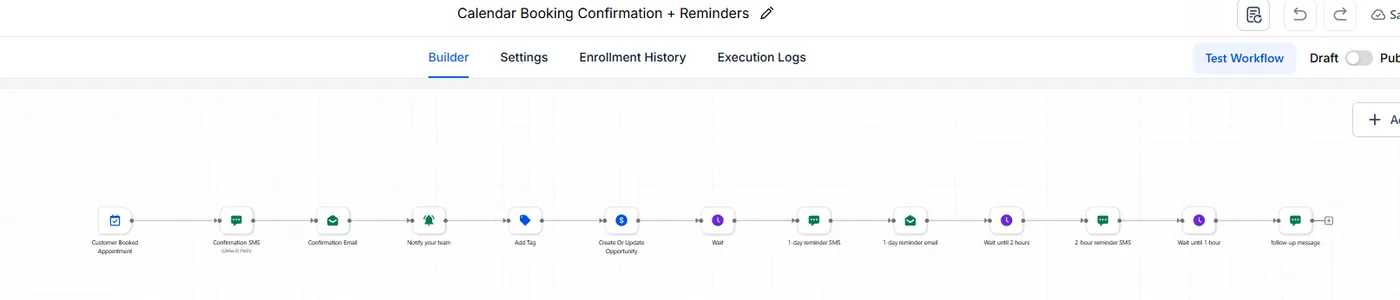
Appointment Booking with an AI Bot: Calendar booking and confirmation workflow screenshot
Problem
Good leads had to wait for someone to find a free time, book the call and send the confirmations by hand.
Outcome
Calls are booked right in the chat, and the lead has the SMS and email confirmations before they even close it.
  • Calendars
  • SMS
  • Email
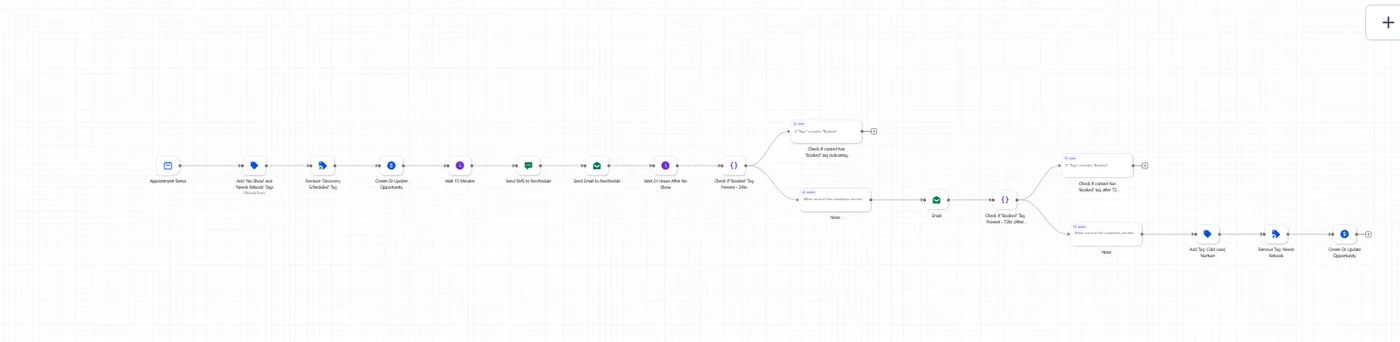
After the Booking: Reminders and pre-call messages workflow screenshot

After the Booking

GoHighLevel automation

Problem
Booking the call was only half the job: leads forgot the call or lost interest in the days before it.
Outcome
Reminders 1 day, 1 hour and 15 minutes before the call get the lead there ready, and a missed call gets help to rebook.
  • SMS
  • Email
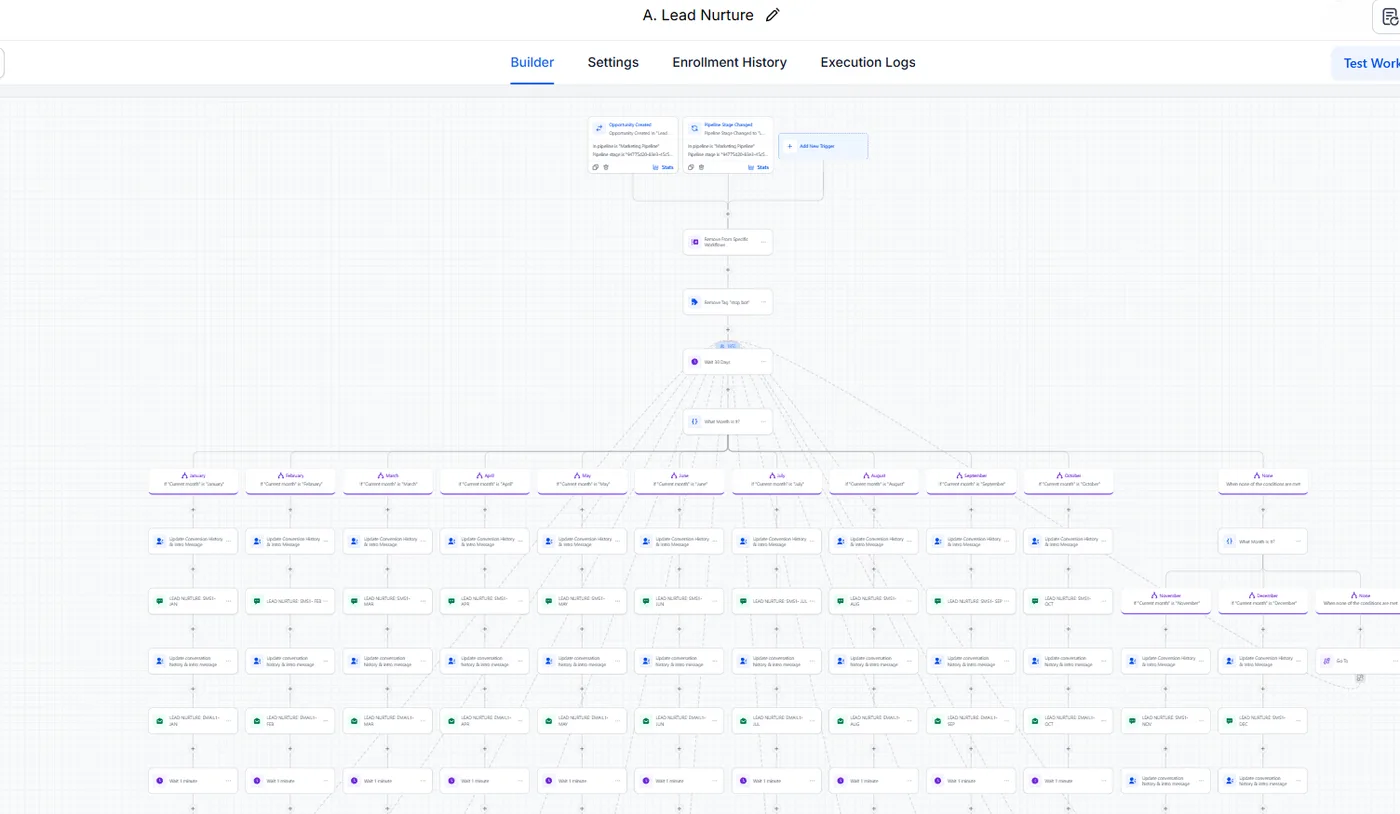
After the Call: Lead nurture, after-call sequence workflow screenshot

After the Call

GoHighLevel automation

Problem
After the call, leads who needed more time or went quiet were easy to forget.
Outcome
Every lead goes down the right path after the call: ready to buy, not yet, or gone quiet.
  • Pipelines
  • SMS
  • Email
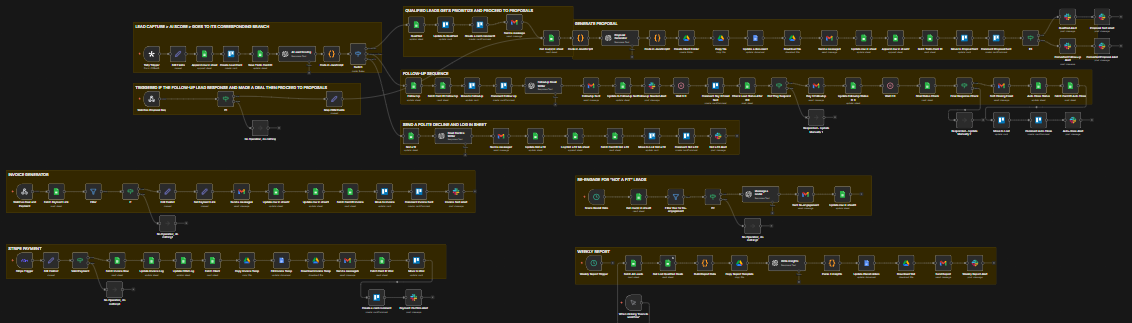
Roofing Lead-to-Close Automation: The workflow in GoHighLevel workflow screenshot

Roofing Lead-to-Close Automation

GoHighLevel automation

Problem
Leads waited hours or until the next day for a reply, follow-up happened only when someone remembered, and monthly reporting was manual, if it happened at all.
Outcome
Lead response time: Hours or next day → Under 10 seconds
  • n8n
  • Google Sheets
  • Slack
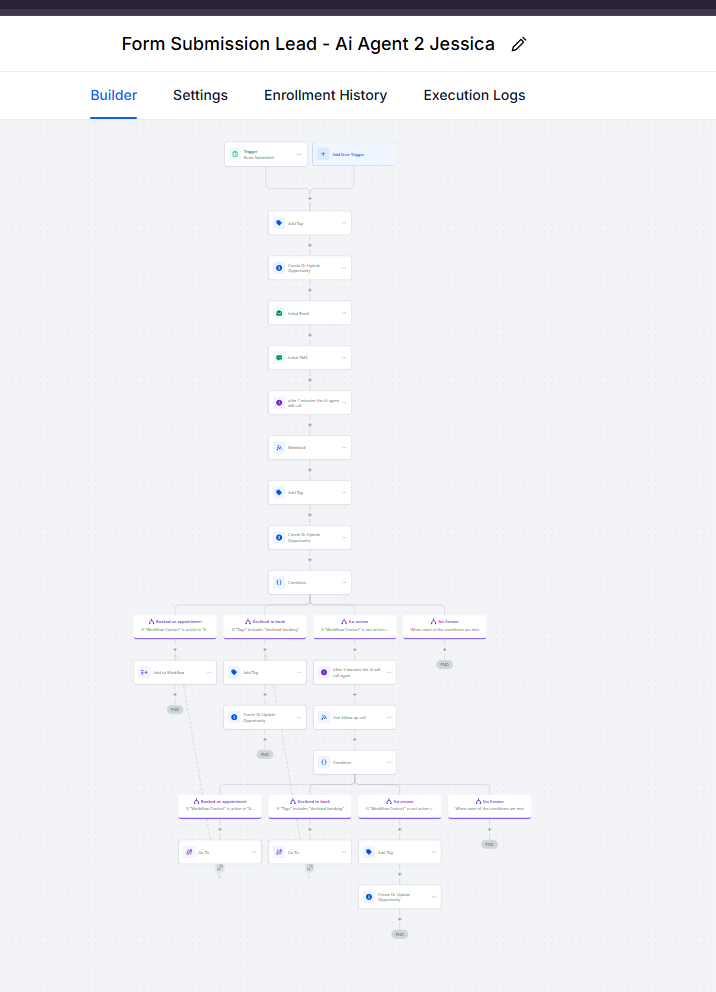
Lead Routing and CRM Intake: Workflow workflow screenshot

Lead Routing and CRM Intake

GoHighLevel automation

Problem
Form submissions landed in a shared inbox with no clear owner, so leads waited until someone noticed.
Outcome
Every lead is contacted right away and lands in the right follow-up path.
  • Webhook
  • Voice AI
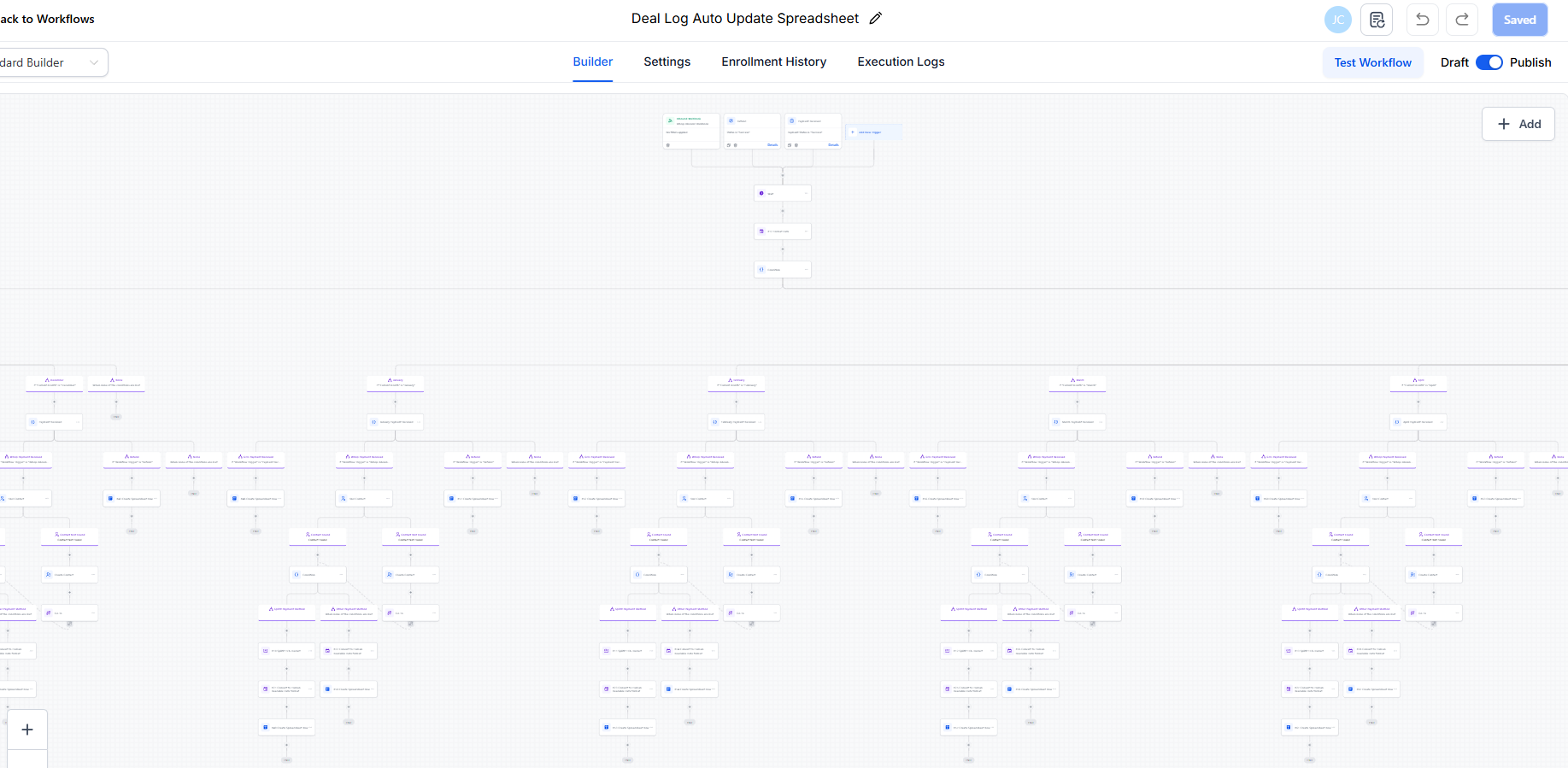
Payment Tracking: Deal Log Auto Update Spreadsheet, GoHighLevel workflow workflow screenshot

Payment Tracking

GoHighLevel automation

Problem
Payments were reconciled manually, so mismatches surfaced late.
Outcome
Payment discrepancies are flagged when they happen.
  • Payments

Where businesses lose time and money

  • Leads slip away

    Slow follow-up turns interested people into lost sales.

  • Too much manual work

    Your team copies data and sends reminders by hand.

  • Your tools don’t talk to each other

    Customer details sit in many different apps.

  • You can’t see where sales stop

    You can’t tell which leads move and which get stuck.

  • Automations break and no one notices

    Workflows send double or wrong messages, or just stop.

  • AI added with no clear plan

    AI tools get added with no process, no checks and no goal.

What I build

  • GoHighLevel CRM Setup

    Pipelines, tags, calendars and workflows, so every contact has a next step.

    What’s included

    CRM foundation

    • CRM implementation
    • Opportunity pipelines
    • Custom fields and values
    • Tagging and segmentation
    • Lead assignment

    Capture and booking

    • Forms and surveys
    • Landing pages
    • Sales funnels
    • Appointment scheduling
    • Customer onboarding

    Automation

    • Workflow triggers and actions
    • Email and SMS sequences
    • Stripe payment integrations
    • Subscription-related workflows
    • Failed-payment handling

    Quality

    • Automation troubleshooting
    • Workflow audits
    • Reporting
    • SOPs and handover
  • AI Automation & Agents

    AI that sorts leads, drafts replies and answers questions. A person approves what matters.

    What’s included

    Leads and sales

    • AI-assisted lead qualification
    • AI message drafting
    • AI-assisted appointment processes
    • Lead enrichment

    Support and operations

    • Knowledge-base-powered assistance (RAG)
    • Customer support triage
    • Data extraction and classification
    • Automated workflow routing

    Engineering

    • LLM API integrations
    • Structured agent tool execution
    • Human approval workflows
    • AI evaluation and monitoring
  • Sales Funnels

    Funnels, order forms, follow-up for unpaid checkouts, reminders and failed payment alerts.

    What’s included

    Pages

    • Landing pages and sales pages
    • Order forms and upsells
    • Surveys and opt-ins
    • Mobile-first layouts

    Revenue automation

    • Abandoned checkout recovery
    • Buyer tagging and segmentation
    • Failed-payment workflows
    • Subscription events

    Fulfillment

    • Confirmation and onboarding sequences
    • Event reminders
    • Access delivery
    • Team notifications
  • Workflow Automation

    n8n, Make or Zapier workflows that move work between your people and tools.

    What’s included

    Architecture

    • Data model and custom fields
    • Pipelines and lifecycle stages
    • Ownership and assignment rules
    • Tag taxonomy

    Process automation

    • Client onboarding
    • Approvals and handoffs
    • Task creation
    • Internal notifications

    Data quality

    • Duplicate detection
    • Required-field validation
    • Import mapping
    • Reporting structure
  • App Integrations

    Your apps connected, so data moves on its own with no duplicates or lost records.

    What’s included

    Platforms

    • n8n
    • Make
    • Zapier
    • GoHighLevel API and webhooks
    • Custom backend services

    Common connections

    • Stripe
    • Google Workspace
    • External CRMs
    • Slack
    • Airtable
    • Accounting tools

    Reliability

    • Payload validation
    • Idempotency
    • Retry logic
    • Error workflows
    • Structured logging
  • Fixes & Maintenance

    I check, fix and improve the automations you already have.

    What’s included

    Included

    • Workflow audits
    • Duplicate and loop fixes
    • Failure alerts and monitoring
    • Monthly improvements
    • Documentation and SOPs
    • Priority support

Ways to work together

You get a fixed quote before any build starts.

  • Automation System Build

    New CRM, workflow or integration systems implemented from a mapped plan.

    • Discovery and system map
    • Build and testing
    • Launch and handover
  • CRM & Automation Optimization

    Existing systems that need troubleshooting, restructuring or cleanup.

    • Workflow audit
    • Prioritised fixes
    • Documentation
  • AI Workflow Integration

    Adding AI to an established process with review and monitoring.

    • Use-case selection
    • Structured AI steps
    • Human approval and evaluation
  • Ongoing Systems Partnership

    Recurring maintenance, optimization, reporting and new development.

    • Monitoring and fixes
    • Monthly improvements
    • Priority support

How we work together

Seven clear steps, from the first call to a system that runs by itself.

  1. 01

    Discovery · understand the business

    A call about your goals, your team, the tools you use and where work or leads get stuck.

    You get: A shared list of problems worth solving, in priority order.

  2. 02

    Audit · review what exists

    I review your current CRM, workflows, forms and integrations, including what already works and should stay.

    You get: Findings with risk and effort for each.

  3. 03

    Plan · design the system

    Triggers, conditions, data fields, owners and failure paths mapped before anything is built.

    You get: A system map and a fixed scope and quote.

  4. 04

    Build · build it

    Workflows, pages, integrations and AI steps built in your accounts, one component at a time.

    You get: Progress updates you can check as it is built.

  5. 05

    Test · prove it works

    Every path runs with test contacts and test events: success, duplicates, failures and edge cases.

    You get: A test checklist showing what was checked.

  6. 06

    Launch · go live safely

    Switched on in a controlled order with monitoring, and a rollback plan if something behaves unexpectedly.

    You get: A walkthrough and written SOPs for your team.

  7. 07

    Improve · improve with data

    Real usage shows where people stop or workflows stall; those become the next improvements.

    You get: Optional ongoing support and monthly improvements.

The rules every build follows

  • Your business comes first. I start with how your business actually sells and delivers, then choose the tools.

  • I build it myself. You work with the person who builds the system, from the first call to handover.

  • One connected system. Pages, CRM, workflows and integrations designed as one system, not loose automations.

  • Clear guides for your team. System maps and SOPs, so your team can run it and the next developer can extend it.

  • Workflows that don’t break. Explicit exits, buyer suppression, duplicate checks and retry windows built in.

  • Tested before launch. Every path tested before real leads or customers touch it.

  • Honest, simple updates. Plain-English updates, honest estimates, and problems raised early.

  • Easy to change later. Named, structured and documented so the system can change with the business.
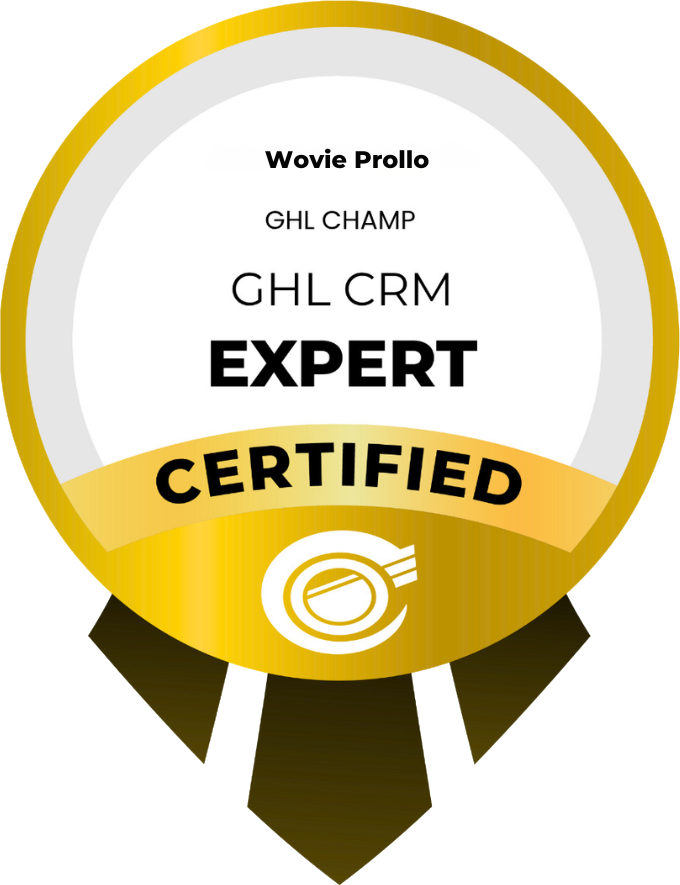
Certified, with the work to prove it

GHL CRM Expert badge issued by GoHighLevel

Certified GoHighLevel CRM Expert

Issued by GoHighLevel

4

n8n Academy course certificates

34

Documented automation builds

Live funnels and websites

14

About me

GoHighLevel Expert | CRM, Sales Funnels & AI Automation

I build connected systems that help businesses capture leads, automate follow-ups, streamline operations, and improve the customer journey.

My focus is on finding what isn’t working and building reliable solutions that save time and support growth.

Industries I’ve worked with

  • Real Estate
  • Construction
  • Credit Repair
  • Healthcare
  • Coaching & Education
  • Marketing Agencies
  • Finance & Business
  • E-commerce

Butuan City, Philippines · Remote. Works US, EU and APAC business hours
Tools I build with

CRM & funnels

  • GoHighLevel
  • HubSpot
  • Airtable
  • Monday.com
  • WordPress
  • Shopify

Automation platforms

  • n8n
  • Make
  • Zapier
  • Webhooks & REST APIs
  • Node.js

AI

  • OpenAI
  • Claude
  • Google Gemini
  • Retell AI
  • HeyGen

Workspace & data

  • Google Workspace
  • Google Sheets
  • Google Calendar
  • Slack
  • Notion
  • Apollo
  • Apify
  • Mailchimp
  • Meta

Questions before you book

How do we start?

Book a 30-minute call. We look at your tools and where work gets stuck. Before anything is built, you get a system map and a fixed scope.

How is pricing decided?

Scope and pricing depend on the number of workflows, integrations, users and accounts involved. You get a fixed quote after discovery, before the build starts.

Do you work with businesses outside the Philippines?

Yes. I work remotely with businesses in the United States and internationally, during US, EU and APAC business hours.

Will my team be able to run the system?

Yes. Every build ends with a walkthrough and written SOPs, and everything is named and documented for the next person.

What happens after launch?

You can run it yourself, or keep me on for monitoring, fixes and monthly improvements.

Book your free call

Free, 30 minutes. We look at your tools and where work gets stuck, then you decide if you want a quote.

Book a 30-minute call

Pick a time that suits you. The calendar shows your local time.

Open in a new tab